
Manage purchase requests in one flow
Construction site, warehouse, store or office — wherever a request originates, approval and procurement move forward on the same screen, on record.
Definition-based process
You define the approval flow, not the code
In Supply Management the approval flow is not a fixed chain hard-coded into the application. How many steps there are, who each step goes to and which path is taken under which condition are defined in the process designer in the admin panel; adding a new approval level needs no software update or deployment.
- As many steps as you need: from a simple single approval to multi-level chains such as project manager → purchasing → technical management → general management.
- Who a step goes to: anyone with a permission, a specific role, a specific person, the project's manager, the site manager, the warehouse keeper, the requester, or an approver selected on the record.
- Conditional routing: rules such as "if the offer amount exceeds 100,000 TRY, route to the general manager as well", defined on amount, quantity, currency or project.
- Actions per step: approve, reject, return, submit offer, ask warehouse, start shipment, receive; a reason can be made mandatory for reject and return.
An example definition. Steps, rules and conditions are changed in the designer.
Workflow engine
Everything enterprise approval management needs, built in
Designed with workflow experience from banking software: the process definition is separate from business logic, and the engine only answers "who, when, where next".
Visual designer
Place steps on a canvas, draw the connections, pick each step's rule. Pre-publish validation catches dead-end steps and paths that never reach an end before they go live.
Eight assignment rules
Permission, role, person and dynamic targets resolved from the record (project manager, warehouse keeper, requester). If no owner is found the task falls back to a permission; it never disappears.
Conditional transitions
Several paths for the same action, evaluated in order against amount and quantity thresholds. No scripting, no attack surface: field, operator, value.
Versioning
A published definition never changes; editing creates a new draft version. Requests already in progress finish on the version they started with, so nothing breaks mid-flow.
Inbox
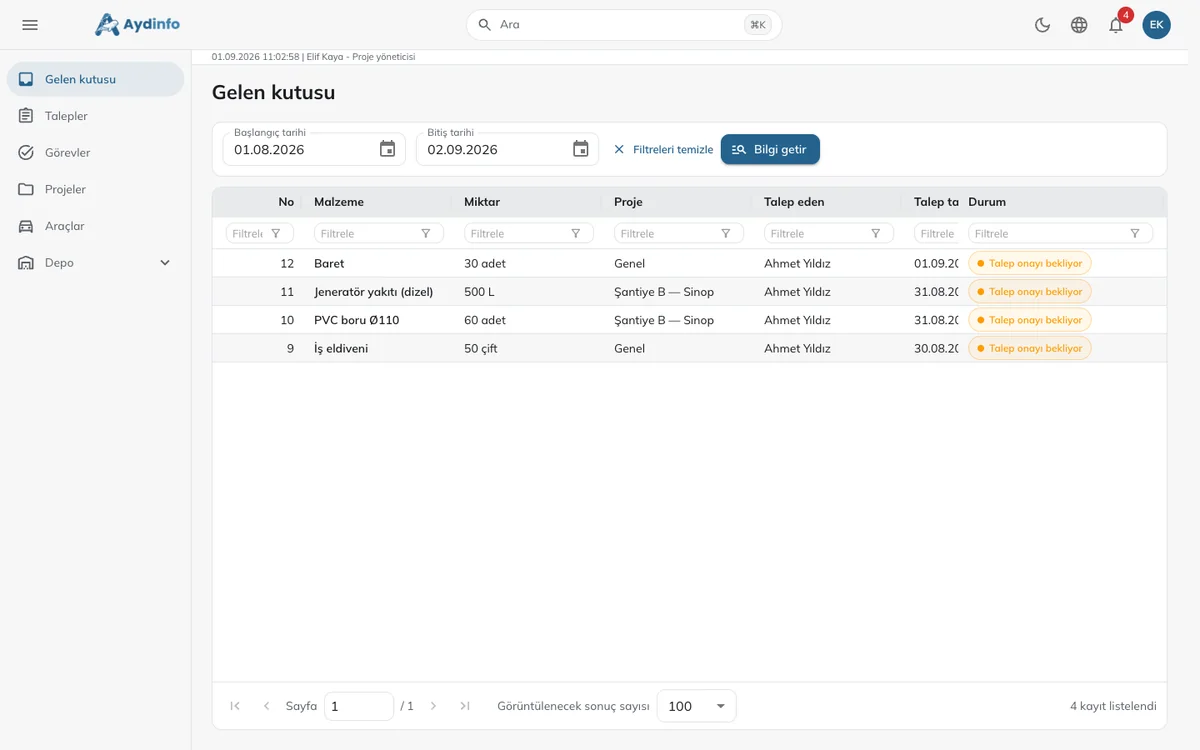
Every user sees their pending tasks in one list; whether a decision is made from the request screen or the inbox, the same business logic runs.
Delegation
A manager hands their tasks to a deputy for a date range; the decision appears in the audit trail as "Y on behalf of X".
Target time (SLA)
A target in hours per step; the inbox is sorted by due time and overdue tasks surface first.
Monitoring and roadmap
Which request is at which step, waiting for whom: a live monitoring list for managers and a step-by-step history on every record.
Per-project variants and transfer
A project-specific flow alongside the general one; definitions are exported and imported to move from test to production.
Modules
One app, four modules
The purchasing flow sits at the core; the task, warehouse and vehicle modules run on the same users, permissions and notifications. Enable the modules you need and add the rest later.
Purchase Request & Approval
The site supervisor requests, the manager approves, purchasing procures. The core flow of the app, with notifications and an audit trail.
Task Management
Assign tasks to people or teams; follow progress with due dates, priorities, checklists and photo-backed closure.
Module detailsWarehouse Inventory
Every warehouse movement from goods receipt to stock count on mobile; minimum stock alerts, lot and expiry tracking.
Module detailsVehicle Booking
Book company vehicles from a calendar; approval, assignment, mileage/fuel/damage records, maintenance and inspection reminders.
Module detailsScreens
The same flow on web and mobile
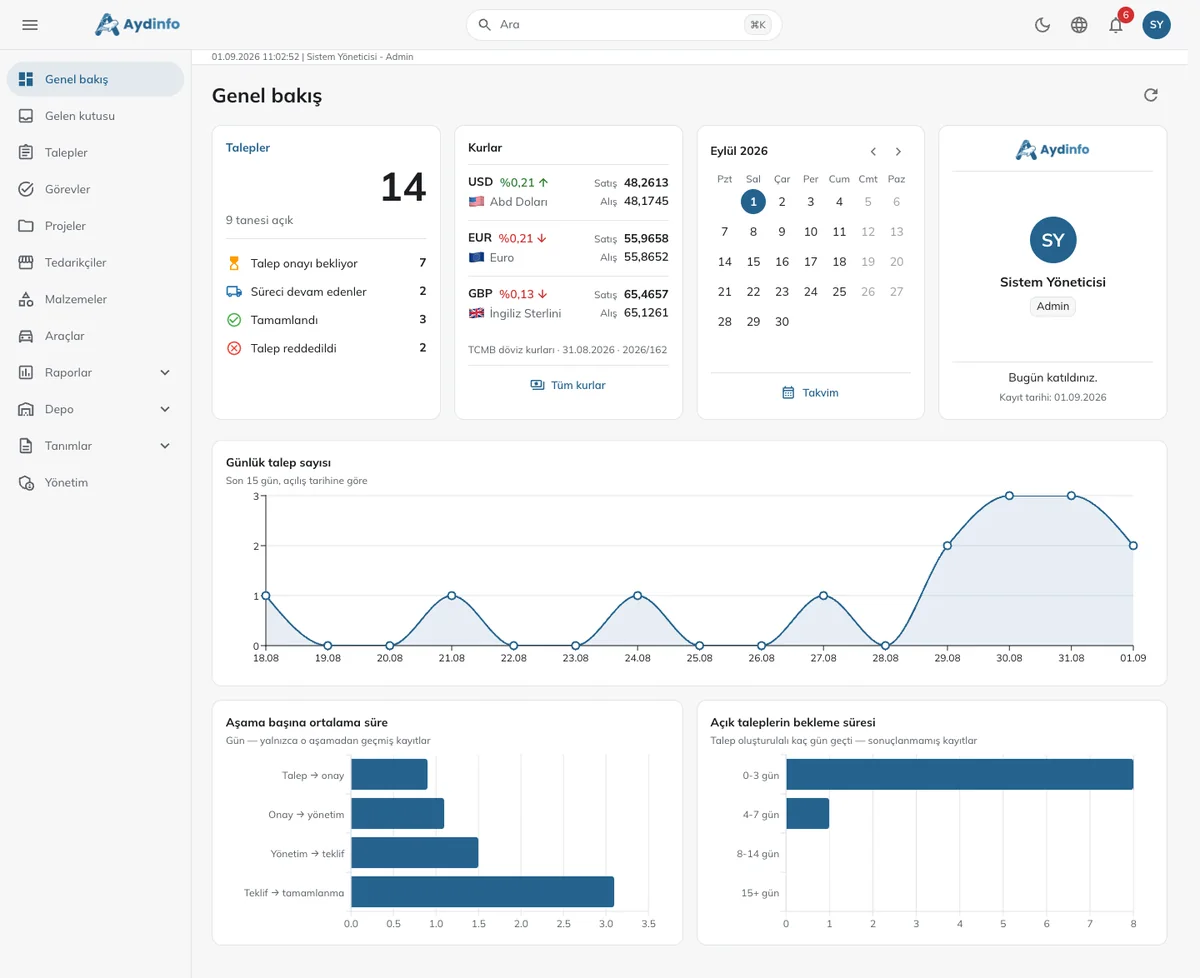
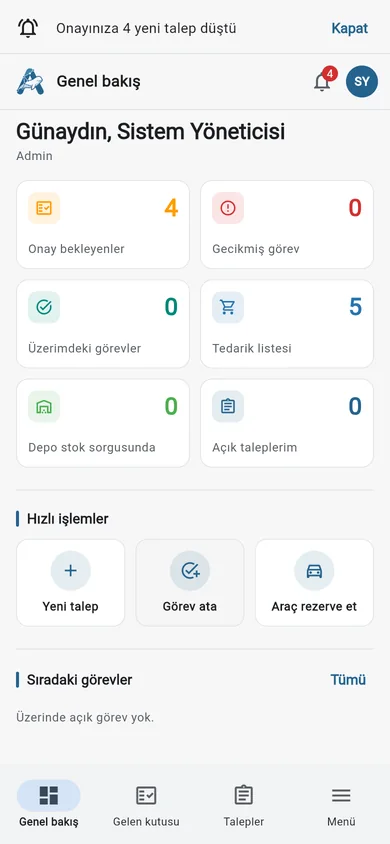
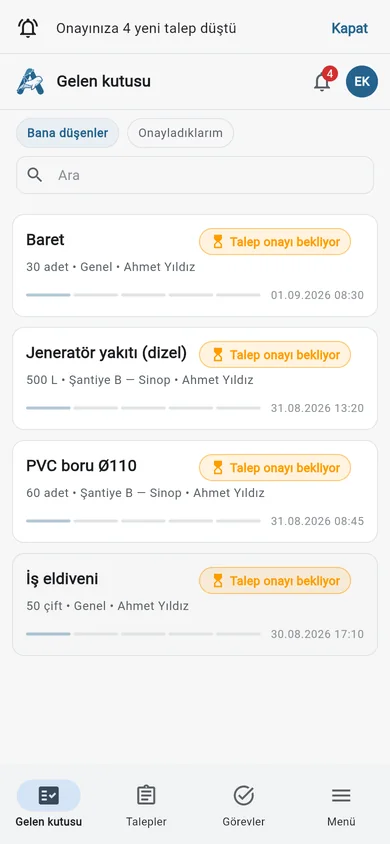
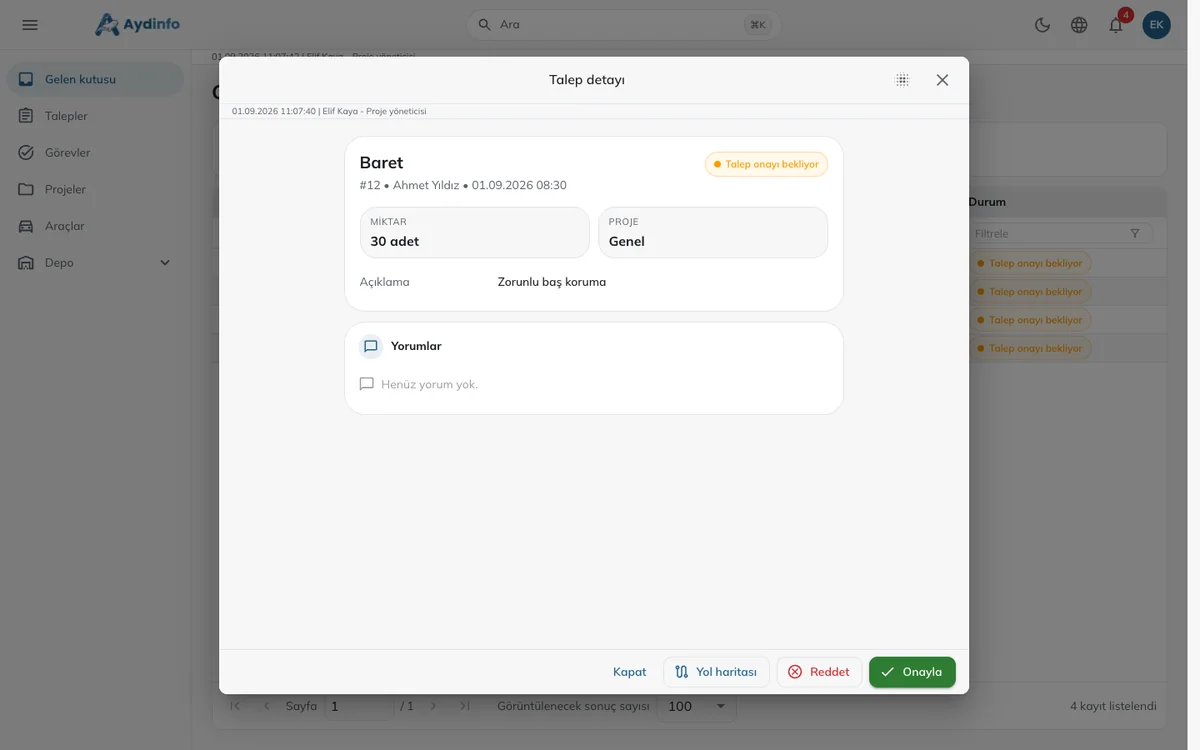
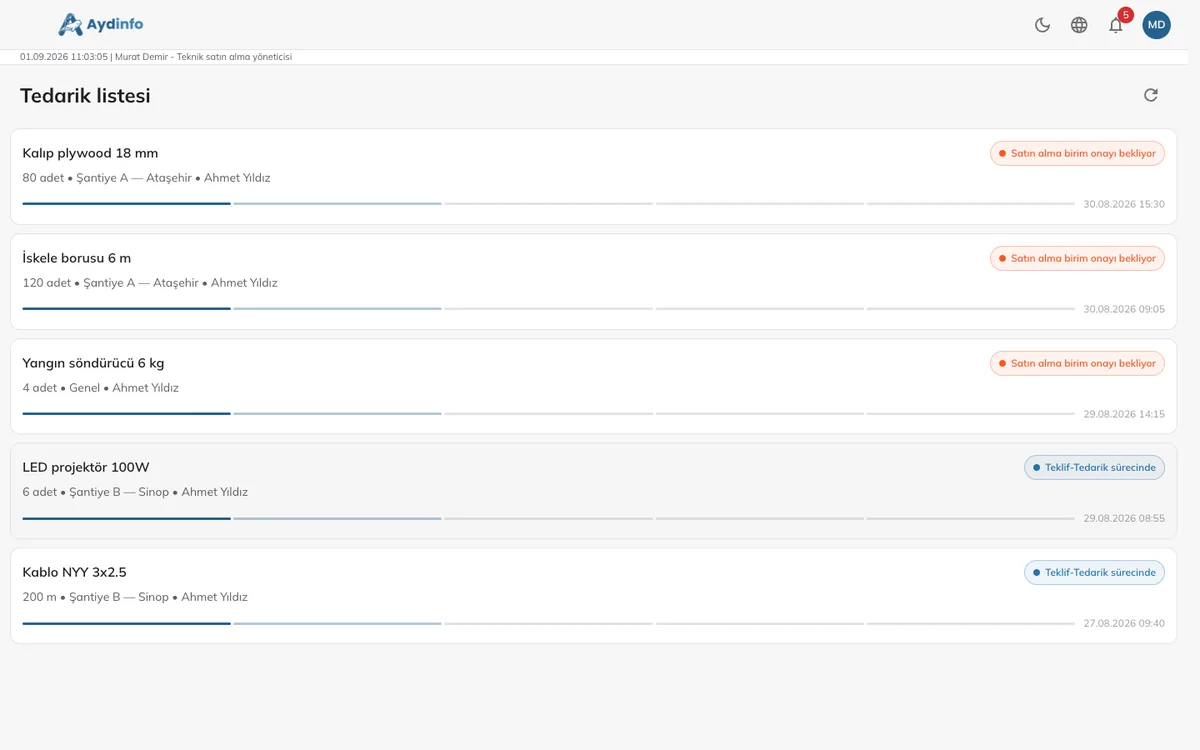
The manager dashboard — requests, central-bank FX rates, calendar and the last 15 days of request charts — on the web; opening, tracking and approving requests on mobile. Screens below use demo data.
Features
Designed for enterprise needs
Web + Android + iOS
One Flutter codebase; the same experience in the browser and in the store apps.
Roles and permissions
JWT-based authentication, role-based screens and action permissions.
Notifications
E-mail notifications for new users, approvals and status changes; works with your corporate SMTP.
Audit trail
Who moved each request from which status to which, and when — all on record.
Enterprise deployment
Docker on your own servers or in the cloud; PostgreSQL database.
Customisation
Organisation-specific fields and ERP/accounting integration. Approval levels need no development; they are defined in the designer.
Technical
Under the hood
Back end
- .NET Web API, Clean Architecture, CQRS (MediatR), FluentValidation
- EF Core + PostgreSQL, migration-based setup
- Security review and REST contract tests
Client
- Flutter (web, Android, iOS) — one codebase
- Offline-tolerant, fast list/detail screens
- Adapted to your corporate identity and colours
Want to see a demo?
In a 15-minute online demo we walk through the flow live and discuss how to adapt it to your organisation.